Skip to content

The Droid Guy

  • PhonesExpand
    • Apple
    • Samsung
    • Google
  • BlogExpand
    • Android TV Box
    • EV
    • Gaming
    • Reviews
    • Television
  • ContactExpand
    • Help
    • About Us
    • Privacy Policy
The Droid Guy
  • Windows

  • Windows 11 Start menu Recommended section being removed
    Windows

    How To Remove The Recommended Section And Ads From The Windows 11 Start Menu In 2026

    ByGeorge June 13, 2026June 13, 2026

    Empty the Recommended section, kill the Start menu ads, and fully remove the header on Windows 11. Covers the new 24H2/25H2 toggle, Group Policy, registry, and Home vs Pro limits.

    Read More How To Remove The Recommended Section And Ads From The Windows 11 Start Menu In 2026Continue

  • Windows 11 Widgets panel being disabled
    Windows

    How To Remove Or Disable Widgets On Windows 11 In 2026

    ByGeorge June 13, 2026November 12, 2026 November 12, 2026

    Stop the Windows 11 Widgets board from popping up. From the one-click taskbar toggle to Group Policy, registry edits, and a full uninstall of the Web Experience Pack.

    Read More How To Remove Or Disable Widgets On Windows 11 In 2026Continue

  • Windows 11 Start menu web search and Bing being disabled
    Windows

    How To Disable Web Search And Bing In Windows 11 (2026)

    ByGeorge June 13, 2026November 12, 2026 November 12, 2026

    Stop Bing and ‘Search the web’ results from cluttering Windows 11 Start search. A quick registry or Group Policy tweak gives you fast, private, local-only results.

    Read More How To Disable Web Search And Bing In Windows 11 (2026)Continue

  • Windows 11 Phone Link app being disabled
    Windows

    How To Remove Or Disable Phone Link On Windows 11 In 2026

    ByGeorge June 13, 2026November 12, 2026 November 12, 2026

    Stop Phone Link from auto-starting, turn off cross-device syncing, unlink your phone, and fully uninstall it on Windows 11 – every step is reversible.

    Read More How To Remove Or Disable Phone Link On Windows 11 In 2026Continue

  • Windows 11 with the Xbox Game Bar overlay disabled
    Windows | Xbox

    How To Remove Or Disable Xbox Game Bar On Windows 11 In 2026

    ByGeorge June 13, 2026June 13, 2026

    Stop Xbox Game Bar from popping up or remove it entirely on Windows 11. Reversible Settings toggles, a PowerShell uninstall, and a registry fix, in order.

    Read More How To Remove Or Disable Xbox Game Bar On Windows 11 In 2026Continue

  • Windows 11 Recall feature being turned off for privacy
    Windows

    How To Disable Or Remove Recall On Windows 11 In 2026

    ByGeorge June 13, 2026November 12, 2026 November 12, 2026

    Windows Recall saves AI snapshots of your screen on Copilot+ PCs. Learn how to turn off snapshots, delete saved data, and fully remove or block Recall using Settings, PowerShell, Group Policy, or the registry.

    Read More How To Disable Or Remove Recall On Windows 11 In 2026Continue

  • Windows 11 with Microsoft Copilot being disabled
    Windows

    How To Remove Or Disable Copilot On Windows 11 (2026)

    ByGeorge June 13, 2026November 13, 2026 November 13, 2026

    Get Microsoft Copilot off Windows 11 for good. We cover the taskbar toggle, a full app uninstall, PowerShell and winget commands, plus Group Policy and registry blocks for Home and Pro, and explain how to stop it returning after updates.

    Read More How To Remove Or Disable Copilot On Windows 11 (2026)Continue

  • Remove Wave Browser From Windows
    How To | Windows

    How To Remove Wave Browser From Windows (2026 Guide)

    ByChad Buenaflor March 19, 2023November 12, 2026 November 12, 2026

    Wave Browser showed up on your Windows PC, and it keeps opening, changing your search, or coming back after you delete…

    Read More How To Remove Wave Browser From Windows (2026 Guide)Continue

  • Stop Windows 11 From Sleeping
    How To | Windows

    How to Stop Windows 11 From Sleeping or Turning off

    ByChad Buenaflor March 8, 2023August 27, 2023 August 27, 2023

    If you find that your Windows 11 PC keeps entering sleep mode too quickly and disrupts your workflow, you may want…

    Read More How to Stop Windows 11 From Sleeping or Turning offContinue

  • How To Fix Windows 11 Internet Connection Issues
    Windows

    How To Fix Windows 11 Internet Connection Issues

    ByHarvey Hisona July 7, 2022August 30, 2023 August 30, 2023

    Are you having a hard time connecting to the internet on your computer? If you are, you’re in luck. In this…

    Read More How To Fix Windows 11 Internet Connection IssuesContinue

  • How To Fix Chrome “Couldn’t Load Plugin” Error [Updated 2023]
    Google Chrome | Windows

    How To Fix Chrome “Couldn’t Load Plugin” Error [Updated 2023]

    ByHarvey Hisona July 1, 2022August 30, 2023 August 30, 2023

    Some Windows users are getting the error “Couldn’t load plugin” when trying to use Google Chrome. If you are directed on…

    Read More How To Fix Chrome “Couldn’t Load Plugin” Error [Updated 2023]Continue

  • How To Fix Google Chrome Out Of Memory Error In Windows
    Google Chrome | Windows

    How To Fix Google Chrome Out Of Memory Error In Windows

    ByHarvey Hisona June 30, 2022September 2, 2023 September 2, 2023

    Google Chrome is the undisputed number one browser in the world for years now. Billions of people rely on it every…

    Read More How To Fix Google Chrome Out Of Memory Error In WindowsContinue

  • How To Fix Can’t Change Default Program In Windows 11 (2026)
    Windows

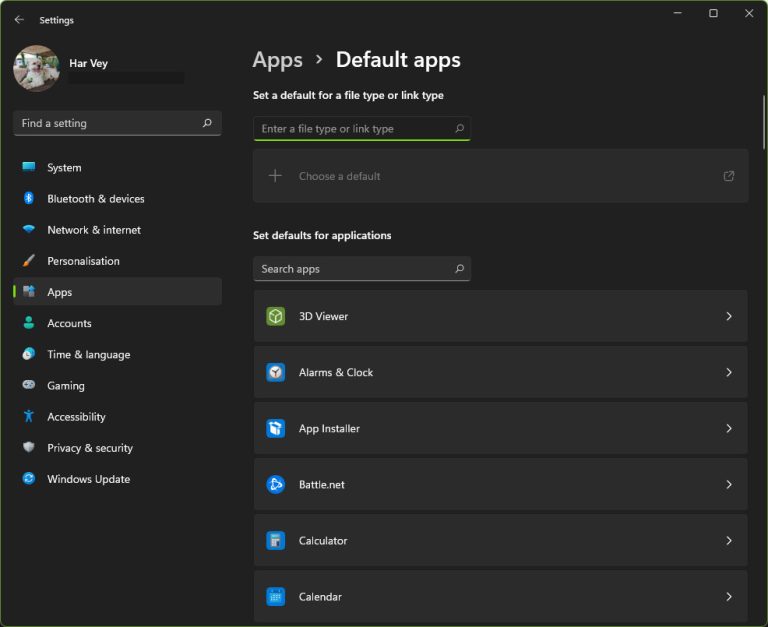
    How To Fix Can’t Change Default Program In Windows 11 (2026)

    ByHarvey Hisona June 29, 2022November 12, 2026 November 12, 2026

    When Windows refuses to keep your default browser, PDF viewer or media player, the setting usually reverts or the Set default…

    Read More How To Fix Can’t Change Default Program In Windows 11 (2026)Continue

  • How To Fix Netflix Stuck On Loading Screen [Proven Solutions]
    Android | Netflix | Windows

    How To Fix Netflix Stuck On Loading Screen [Proven Solutions]

    ByHarvey Hisona June 10, 2022August 30, 2023 August 30, 2023

    Are you having a problem with Netflix when trying to watching any show? Many people have reported getting stuck on the…

    Read More How To Fix Netflix Stuck On Loading Screen [Proven Solutions]Continue

  • How To Save A Screenshot As PDF In Windows
    How To | Windows

    How To Save A Screenshot As PDF In Windows

    ByCarl June 2, 2022August 25, 2023 August 25, 2023

    Taking a screenshot can be very easy as it allows you to screen capture or screen grab of that’s being shown…

    Read More How To Save A Screenshot As PDF In WindowsContinue

  • How To Fix Side-by-Side Configuration Is Incorrect Error | Windows 10/11
    Google Chrome | Windows

    Chrome Side-By-Side Configuration Is Incorrect: How To Fix (2026)

    ByHarvey Hisona May 31, 2022November 12, 2026 November 12, 2026

    Chrome refuses to open and shows "The application has failed to start because its side-by-side configuration is incorrect." The message points…

    Read More Chrome Side-By-Side Configuration Is Incorrect: How To Fix (2026)Continue

  • How To Fix Network Discovery Is Turned Off | Windows 10/11
    How To | Windows

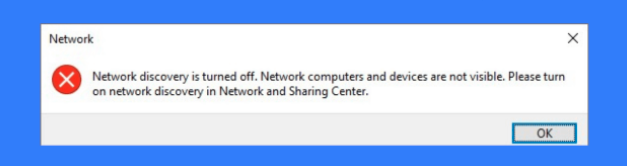
    How To Fix Network Discovery Is Turned Off | Windows 10/11

    ByHarvey Hisona May 27, 2022August 31, 2023 August 31, 2023

    Are you having a hard time sharing files to other network computers or having your documents printed because you’re getting the…

    Read More How To Fix Network Discovery Is Turned Off | Windows 10/11Continue

  • How To Fix Firefox Keeps Crashing Issue [Updated 2023]
    Windows

    How To Fix Firefox Keeps Crashing Issue [Updated 2023]

    ByHarvey Hisona March 17, 2022August 31, 2023 August 31, 2023

    In this article, we’ll look at a problem that many Mozilla Firefox users have encountered. The problem is that Firefox keeps…

    Read More How To Fix Firefox Keeps Crashing Issue [Updated 2023]Continue

  • How To Fix A Discord API Error | Updated Solutions In 2022
    Windows

    How To Fix A Discord API Error | Updated Solutions in 2026

    ByHarvey Hisona February 25, 2022September 1, 2023 September 1, 2023

    Many Discord users encounter API errors when they’re patching a game or when they can’t connect to Discord server due to…

    Read More How To Fix A Discord API Error | Updated Solutions in 2026Continue

  • How To Fix "Your IT Administrator Has Limited Access" Error
    Windows

    How To Fix “Your IT Administrator Has Limited Access” Error

    ByHarvey Hisona February 15, 2022August 31, 2023 August 31, 2023

    Are you unable to go into Settings app or check some details under Windows Settings menu because of the “Page not…

    Read More How To Fix “Your IT Administrator Has Limited Access” ErrorContinue

Page navigation

1 2 3 Next PageNext
Facebook X Instagram

© 2026 The Droid Guy

Scroll to top