Skip to content

The Droid Guy

  • PhonesExpand
    • Apple
    • Samsung
    • Google
  • BlogExpand
    • Android TV Box
    • EV
    • Gaming
    • Reviews
    • Television
  • ContactExpand
    • Help
    • About Us
    • Privacy Policy
The Droid Guy
  • Tutorials

  • Google Authenticator app on a phone showing a six-digit code and 30-second timer beside a clock, illustrating time sync
    Apple | Google | How To | Tutorials

    Google Authenticator Not Working? How to Fix It (Start With Your Phone’s Clock)

    ByGeorge June 28, 2026

    Google Authenticator codes being rejected? The number-one fix is setting your phone’s time to automatic—especially after traveling. Here’s the full troubleshooting guide for iPhone and Android, plus how to recover if you’re locked out.

    Read More Google Authenticator Not Working? How to Fix It (Start With Your Phone’s Clock)Continue

  • How To Fix A SuperBox That Won’t Turn On (2026)
    Superbox | Tutorials

    How To Fix A SuperBox That Won’t Turn On (2026)

    ByThe Droid Guy May 28, 2026May 28, 2026

    You press the remote, the screen stays black, and your SuperBox shows only a solid red light, a frozen logo, or…

    Read More How To Fix A SuperBox That Won’t Turn On (2026)Continue

  • How To Fix SuperBox MLB Channels Not Working In 2026
    Superbox | Tutorials

    How To Fix SuperBox MLB Channels Not Working In 2026

    ByThe Droid Guy May 28, 2026May 28, 2026

    It’s game time, you tuned to the MLB channel on Blue TV, and you get a black screen, a frozen feed,…

    Read More How To Fix SuperBox MLB Channels Not Working In 2026Continue

  • How To Fix SuperBox Blue TV Error -14-104 And 0kBps (2026)
    Superbox | Tutorials

    How To Fix SuperBox Blue TV Error -14-104 And 0kBps (2026)

    ByThe Droid Guy May 28, 2026May 28, 2026

    Your SuperBox Blue TV channels stopped loading, the picture sits black or frozen, and you see 0kBps in the corner — often with…

    Read More How To Fix SuperBox Blue TV Error -14-104 And 0kBps (2026)Continue

  • How To Switch Phones On Google Fi: Lost, Broken, Upgrade (2026)
    Tutorials

    How To Switch Phones On Google Fi: Lost, Broken, Upgrade (2026)

    ByGeorge May 7, 2026November 12, 2026 November 12, 2026

    Whether you lost your phone, broke it, or just upgraded, here is how to transfer your Google Fi number and service to a new device in minutes.

    Read More How To Switch Phones On Google Fi: Lost, Broken, Upgrade (2026)Continue

  • HP Printer Expired Certificate Error: Fix It on Mac & Windows
    Tutorials

    HP Printer Expired Certificate Error: Fix It on Mac & Windows

    ByThe Droid Guy March 23, 2026November 12, 2026 November 12, 2026

    Your Mac or PC refuses to print and says “Expired Certificate” or “Check the printer for errors.” The printer’s certificate is…

    Read More HP Printer Expired Certificate Error: Fix It on Mac & WindowsContinue

  • iPhone 16 Pro Max Lag: iOS 26 Frame Drop Issues
    iPhone 16 | Tutorials

    iPhone 16 Pro Max Lag: iOS 26 Frame Drop Issues

    ByGeorge March 20, 2026March 20, 2026

    If you’re experiencing stuttering, frame drops, and sluggish performance on your iPhone 16 Pro Max or other iPhone models running iOS…

    Read More iPhone 16 Pro Max Lag: iOS 26 Frame Drop IssuesContinue

  • 17 Google Messages Tips Tricks and Features You Need to Know
    Tutorials

    Google Messages Tips And Tricks: 15 Features To Use In 2026

    ByGeorge March 17, 2026November 11, 2026 November 11, 2026

    Google Messages has picked up several features in 2026, and a few older tips no longer work the way guides say….

    Read More Google Messages Tips And Tricks: 15 Features To Use In 2026Continue

  • Should You Buy a Refurbished Android Phone? Pros, Cons, and Hidden Risks
    How To | Tutorials

    Should You Buy a Refurbished Android Phone? Pros, Cons, and Hidden Risks

    ByThe Droid Guy February 25, 2026February 25, 2026

    Refurbished Android phones can be a great deal, but only if you know what to check. The biggest risk is not…

    Read More Should You Buy a Refurbished Android Phone? Pros, Cons, and Hidden RisksContinue

  • How to Fix Android Phone Overheating
    Tutorials

    How to Fix Android Phone Overheating

    ByThe Droid Guy February 25, 2026March 2, 2026 March 2, 2026

    Android overheating is usually caused by heavy workload, unstable apps, charging conditions, or thermal throttling after updates. These methods reduce heat…

    Read More How to Fix Android Phone OverheatingContinue

  • How to Fix Android Battery Drain After Update
    Battery / Charging

    How to Fix Android Battery Drain After Update

    ByThe Droid Guy February 25, 2026March 2, 2026 March 2, 2026

    Battery drain after an Android update is usually tied to indexing, app compatibility, or rogue background activity rather than a damaged…

    Read More How to Fix Android Battery Drain After UpdateContinue

  • How to Block an Email Address in Gmail and Yahoo Mail and Never Receive Emails From Them Again
    Tutorials

    How to Block an Email Address in Gmail and Yahoo Mail and Never Receive Emails From Them Again

    ByThe Droid Guy January 21, 2026January 21, 2026

    Unwanted emails can be permanently stopped by blocking senders and applying filters that prevent delivery entirely. This step by step guide…

    Read More How to Block an Email Address in Gmail and Yahoo Mail and Never Receive Emails From Them AgainContinue

  • How To Recover Deleted Photos On Phone And Computer (2026)
    Tutorials

    How To Recover Deleted Photos On Phone And Computer (2026)

    ByThe Droid Guy January 1, 2026November 13, 2026 November 13, 2026

    You deleted photos by accident and the gallery no longer shows them. They are often still recoverable for 30 days in…

    Read More How To Recover Deleted Photos On Phone And Computer (2026)Continue

  • How To Fix iCloud Storage Full Without Paying $2.99 A Month
    How To | Tutorials

    How To Fix iCloud Storage Full Without Paying $2.99 A Month

    ByThe Droid Guy January 1, 2026January 1, 2026

    If your iPhone keeps saying “iCloud Storage Full” and backups keep failing, the problem is usually hidden clutter, not a lack…

    Read More How To Fix iCloud Storage Full Without Paying $2.99 A MonthContinue

  • How To Fix Slow Loading Computers According To A Former Geek Squad Expert
    How To | Tutorials

    How To Fix Slow Loading Computers According To A Former Geek Squad Expert

    ByThe Droid Guy January 1, 2026January 1, 2026

    If your computer takes forever to boot, freezes during simple tasks, or feels slower every month, these are the exact steps…

    Read More How To Fix Slow Loading Computers According To A Former Geek Squad ExpertContinue

  • How To Change a YouTube Shorts Thumbnail After Uploading (Complete Step-by-Step Guide)
    Tutorials

    How To Change a YouTube Shorts Thumbnail After Uploading (Complete Step-by-Step Guide)

    ByThe Droid Guy November 13, 2025November 13, 2025

    Changing a YouTube Shorts thumbnail after it’s already posted feels impossible because YouTube hides the option. This guide shows you every…

    Read More How To Change a YouTube Shorts Thumbnail After Uploading (Complete Step-by-Step Guide)Continue

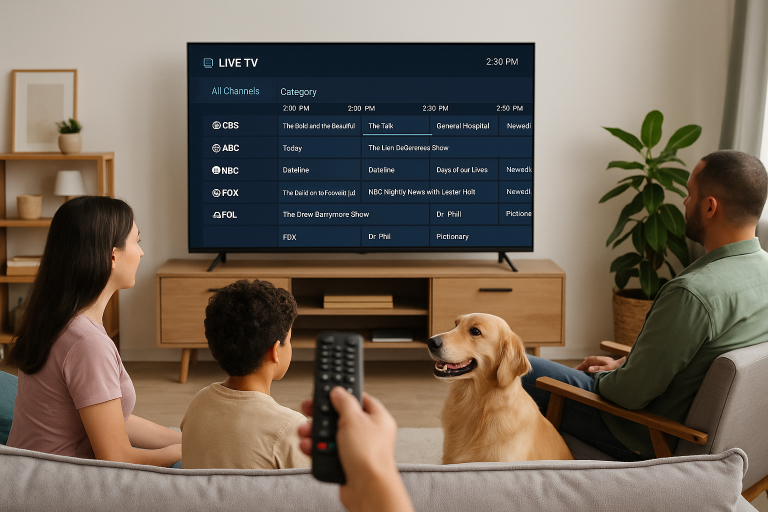
  • SuperBox S6 Live TV Channel List Not Showing Programs: Step-by-Step Fixes (2026)
    Superbox | Tutorials

    SuperBox S6 Live TV Channel List Not Showing Programs: Step-by-Step Fixes (2026)

    ByThe Droid Guy October 28, 2025April 14, 2026 April 14, 2026

    If your SuperBox S6 opens the Blue TV app but the channel list is empty, showing a blank grid, or simply…

    Read More SuperBox S6 Live TV Channel List Not Showing Programs: Step-by-Step Fixes (2026)Continue

  • How To Remove Or Disable OneDrive On Windows 11 (2026)
    Tutorials

    How To Remove Or Disable OneDrive On Windows 11 (2026)

    ByThe Droid Guy October 27, 2025November 12, 2026 November 12, 2026

    OneDrive keeps launching, syncing, and nagging you to back up folders you never asked it to touch. You can stop it…

    Read More How To Remove Or Disable OneDrive On Windows 11 (2026)Continue

  • How to Completely Remove Cortana from Windows 11
    Tutorials

    How to Completely Remove Cortana from Windows 11

    ByThe Droid Guy October 27, 2025October 27, 2025

    Cortana was Microsoft’s voice assistant designed to compete with Siri and Alexa, but it has now been officially discontinued. Despite this,…

    Read More How to Completely Remove Cortana from Windows 11Continue

  • How To Remove Or Disable Microsoft Teams On Windows 11 (2026)
    Tutorials

    How To Remove Or Disable Microsoft Teams On Windows 11 (2026)

    ByThe Droid Guy October 27, 2025November 12, 2026 November 12, 2026

    Microsoft Teams keeps launching on your Windows 11 PC, and you never asked for it. You can stop it, and you…

    Read More How To Remove Or Disable Microsoft Teams On Windows 11 (2026)Continue

Page navigation

1 2 3 … 36 Next PageNext
Facebook X Instagram

© 2026 The Droid Guy

Scroll to top