How To Change Watch Face On Samsung Galaxy Watch 4
There are two ways you can change the watch face on your Samsung Galaxy Watch 4. You can do this from…
You can set a silent alarm or a vibrate only alarm on your Samsung Galaxy Watch 4. When the alarm goes…
You can easily reply to text messages you receive using the quick messages feature of the watch. These are pre-set messages…
Syncing your Samsung Galaxy Watch 4 to an Android phone is done through the Galaxy Wearable app — there is no…
Some owners of the Samsung Galaxy Watch 4 have reported that the device sometimes does not wake when the screen is…
Syncing your Samsung Galaxy Watch 4 to your phone allows data from the watch to be transferred to the connected phone….
You can easily add your personal music collection to the Samsung Galaxy Watch 4 allowing you to play music while you…
The Samsung Galaxy Watch 4 connects to Wi-Fi networks independently of your phone — letting you stream music, download apps from…
The Samsung Galaxy Watch 4 runs Wear OS, which means you can install apps from the Google Play Store — either…
Turning off the Samsung Galaxy Watch 4 can usually fix software related issues that you are experiencing with it such as…
It’s always a good idea to learn how to perform a factory reset on your Samsung Galaxy Watch 4. This comes…
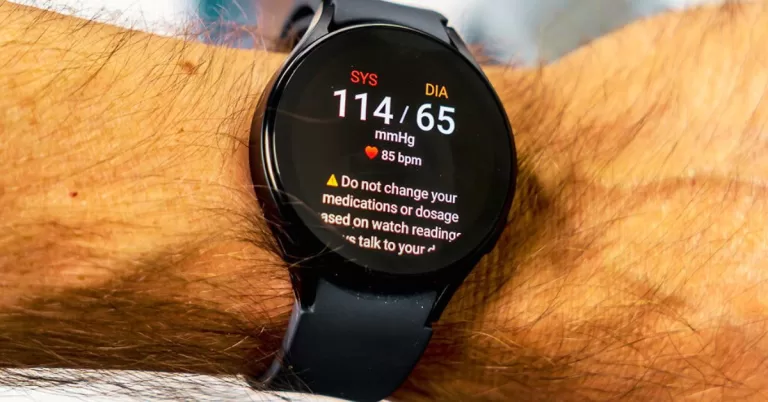
If you’ve noticed that your Galaxy Watch is not accurately tracking your heart rate during workouts, you’re not alone. Many users…
The wake up gesture of the Samsung Galaxy Watch 4 allows you to turn on the display just by raising you…
When your Samsung Galaxy Watch 4 is paired with a compatible smartphone you will be able to get text messages on…
There are several factors that can cause your Samsung Galaxy Watch 4 battery to not charge. It could be due to…
There are several factors that can cause the Samsung Galaxy Watch 4 to stop getting notifications from your phone. It could…
There are several factors that can cause the Samsung Galaxy Watch 4 to not connect to a Wi-Fi network. It could…
The Samsung Galaxy Watch 4 can experience rapid battery drain due to power-hungry settings, background apps, or software bugs. Here are…
There are several factors that can prevent your Samsung Galaxy Watch 4 from getting the latest software update. It could be…
Restarting your Galaxy Watch 4 clears temporary software glitches, fixes unresponsive touch input, and resolves Wear OS connectivity issues — without…
End of content
End of content