Skip to content

The Droid Guy

  • PhonesExpand
    • Apple
    • Samsung
    • Google
  • BlogExpand
    • Android TV Box
    • EV
    • Gaming
    • Reviews
    • Television
  • ContactExpand
    • Help
    • About Us
    • Privacy Policy
The Droid Guy
  • TV

  • Philips TV that will not turn on or has a black screen
    TV

    How To Fix A Philips TV That Won’t Turn On Or Has A Black Screen In 2026

    ByGeorge June 13, 2026June 13, 2026

    Philips TV won’t turn on or stuck on a black screen? Learn the power-drain reset, blinking standby-light codes, the flashlight backlight test, and how to tell a quick glitch from a failed power board or backlight.

    Read More How To Fix A Philips TV That Won’t Turn On Or Has A Black Screen In 2026Continue

  • Amazon Fire TV Stick showing a black screen
    TV

    How To Fix An Amazon Fire TV Stick Black Screen In 2026

    ByGeorge June 13, 2026June 13, 2026

    A black screen on your Fire TV Stick is almost always a power or HDMI fix, not a dead stick. Work through these ordered fixes to get the Fire TV home screen back in minutes.

    Read More How To Fix An Amazon Fire TV Stick Black Screen In 2026Continue

  • TCL TV that will not turn on
    TCL | TV

    How To Fix A TCL TV That Won’t Turn On In 2026

    ByGeorge June 13, 2026November 12, 2026 November 12, 2026

    Is your TCL TV not turning on with no picture, a blinking standby light, or nothing at all? Learn the power-drain reset that fixes most cases and how to tell a stuck power state from a failed power board.

    Read More How To Fix A TCL TV That Won’t Turn On In 2026Continue

  • Vizio TV failing to connect to Wi-Fi
    TV | Vizio

    How To Fix A Vizio TV That Won’t Connect To Wi-Fi In 2026

    ByGeorge June 13, 2026June 13, 2026

    Vizio SmartCast TV won’t connect to Wi-Fi or says connected with no internet? Work through power-cycling, manual DNS, 2.4GHz vs 5GHz, and a wired test to isolate a router glitch from a failed Wi-Fi module.

    Read More How To Fix A Vizio TV That Won’t Connect To Wi-Fi In 2026Continue

  • Toshiba Fire TV showing a black screen with no picture
    TV

    How To Fix A Toshiba Fire TV Black Screen In 2026

    ByGeorge June 13, 2026November 12, 2026 November 12, 2026

    Your Toshiba Fire TV turns on with sound but shows a black screen and no picture? Power-cycle and restart fixes, plus the flashlight backlight test that tells you in minutes whether it’s software or a hardware failure.

    Read More How To Fix A Toshiba Fire TV Black Screen In 2026Continue

  • LG TV failing to connect to Wi-Fi
    LG | TV

    How To Fix An LG TV That Won’t Connect To Wi-Fi In 2026

    ByGeorge June 13, 2026November 12, 2026 November 12, 2026

    Your LG webOS TV won’t connect to Wi-Fi or keeps dropping? Isolate router vs TV, try the Quick Start+ reset trick, set DNS to 8.8.8.8, and know when it’s a dead Wi-Fi module.

    Read More How To Fix An LG TV That Won’t Connect To Wi-Fi In 2026Continue

  • onn TV turned on but showing no picture
    TV

    How To Fix An onn TV That Turns On But Has No Picture In 2026

    ByGeorge June 13, 2026November 12, 2026 November 12, 2026

    Your onn TV powers on but shows a black screen with no picture? Work through power-cycling, input checks, force restarts, and the flashlight backlight test for both Roku and Google TV models, plus when repair just is not worth it.

    Read More How To Fix An onn TV That Turns On But Has No Picture In 2026Continue

  • Hisense TV failing to connect to Wi-Fi
    Hisense | TV

    How To Fix A Hisense TV That Won’t Connect To Wi-Fi In 2026

    ByGeorge June 13, 2026June 13, 2026

    Hisense TV won’t connect to Wi-Fi? Isolate the router from the TV, then follow exact fixes for VIDAA, Google TV, and Roku TV, from DNS and band changes to firmware and hardware.

    Read More How To Fix A Hisense TV That Won’t Connect To Wi-Fi In 2026Continue

  • Roku TV showing a black screen with no picture
    TV

    Roku TV Black Screen No Picture: How To Fix It (2026)

    ByGeorge June 13, 2026November 11, 2026 November 11, 2026

    Your Roku TV powers on but the screen stays black? Work through a power-cycle, input check, and the force-restart sequence, then use a flashlight test to tell a software glitch from a failed backlight.

    Read More Roku TV Black Screen No Picture: How To Fix It (2026)Continue

  • TV

    5 Best Ultra Thin TV in 2026

    ByGeorge September 3, 2025March 1, 2026 March 1, 2026

    A practical guide to choosing an ultra-thin TV with the right panel type, brightness, and gaming features.

    Read More 5 Best Ultra Thin TV in 2026Continue

  • TCL Launches $80 5G Flip Phone as Minimalist Trend Rises
    TCL | Tech News

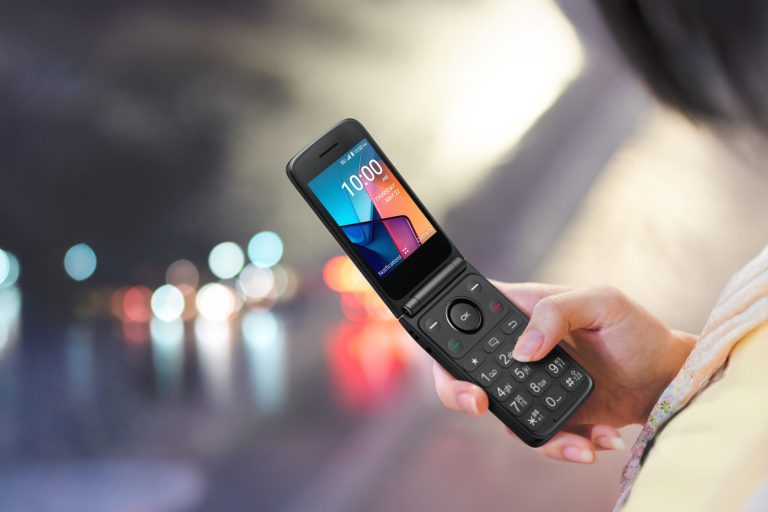
    TCL Launches $80 5G Flip Phone as Minimalist Trend Rises

    ByThe Droid Guy May 22, 2025May 22, 2025

    TCL has officially entered the digital detox movement with the release of the FLIP 4 5G, a classic-style flip phone bolstered…

    Read More TCL Launches $80 5G Flip Phone as Minimalist Trend RisesContinue

  • How to Fix a Samsung TV HDMI Port Not Working
    Samsung TV | Tutorials | TV

    How to Fix a Samsung TV HDMI Port Not Working

    ByHarold Hisona February 11, 2025February 11, 2025

    If your Samsung TV’s HDMI port isn’t functioning correctly, this guide provides multiple troubleshooting methods to help resolve the issue. Follow…

    Read More How to Fix a Samsung TV HDMI Port Not WorkingContinue

  • How To Fix Samsung TV ARC Not Working (2026)
    Samsung TV | Tutorials | TV

    How To Fix Samsung TV ARC Not Working (2026)

    ByHarold Hisona February 11, 2025November 12, 2026 November 12, 2026

    When your Samsung TV’s ARC connection stops working, the TV picture keeps playing but the soundbar or receiver stays silent. The…

    Read More How To Fix Samsung TV ARC Not Working (2026)Continue

  • How to Fix Samsung TV HDMI Devices Not Detected
    Samsung TV | Tutorials | TV

    How to Fix Samsung TV HDMI Devices Not Detected

    ByHarold Hisona February 11, 2025February 11, 2025

    If your Samsung TV isn’t detecting your HDMI devices, it can be frustrating to lose access to your favorite content. This…

    Read More How to Fix Samsung TV HDMI Devices Not DetectedContinue

  • How to Fix “No Signal from HDMI Ports” on Your Samsung TV
    Samsung TV | Tutorials | TV

    How to Fix “No Signal from HDMI Ports” on Your Samsung TV

    ByHarold Hisona February 11, 2025February 11, 2025

    If your Samsung TV displays a “No Signal” message when connected via HDMI, this tutorial offers multiple methods to troubleshoot and…

    Read More How to Fix “No Signal from HDMI Ports” on Your Samsung TVContinue

  • How to Resolve Samsung TV Software Update Failures
    Samsung TV | Tutorials | TV

    How to Resolve Samsung TV Software Update Failures

    ByHarold Hisona February 10, 2025February 11, 2025 February 11, 2025

    If your Samsung TV is failing to update its software, you’re not alone, several factors can contribute to the problem. This…

    Read More How to Resolve Samsung TV Software Update FailuresContinue

  • How to Fix a Samsung TV That Freezes or Lags
    Samsung TV | Tutorials | TV

    How to Fix a Samsung TV That Freezes or Lags

    ByHarold Hisona February 10, 2025February 11, 2025 February 11, 2025

    If your Samsung TV frequently freezes or lags during use, it can significantly disrupt your viewing experience. This guide presents several…

    Read More How to Fix a Samsung TV That Freezes or LagsContinue

  • How to Resolve Samsung TV Factory Reset Issues
    Samsung TV | Tutorials | TV

    How to Resolve Samsung TV Factory Reset Issues

    ByHarold Hisona February 10, 2025February 11, 2025 February 11, 2025

    If your Samsung TV is experiencing difficulties during a factory reset, you’re not alone. This guide provides multiple methods to troubleshoot…

    Read More How to Resolve Samsung TV Factory Reset IssuesContinue

  • How to Resolve Confusing or Missing Options on Samsung TV
    Samsung TV | Tutorials | TV

    How to Resolve Confusing or Missing Options on Samsung TV

    ByHarold Hisona February 10, 2025February 10, 2025

    Some users may find that their Samsung TV menus display confusing layouts or that certain options seem to be missing altogether….

    Read More How to Resolve Confusing or Missing Options on Samsung TVContinue

  • How to Fix a Samsung TV Menu That Is Not Responding
    Samsung TV | Tutorials | TV

    How to Fix a Samsung TV Menu That Is Not Responding

    ByHarold Hisona February 10, 2025February 10, 2025

    If your Samsung TV menu is not responding, it can make it difficult to adjust settings or navigate content. This tutorial…

    Read More How to Fix a Samsung TV Menu That Is Not RespondingContinue

Page navigation

1 2 3 … 8 Next PageNext
Facebook X Instagram

© 2026 The Droid Guy

Scroll to top