Why Facebook Marketplace Puts Limits on New Accounts and How to Unlock Full Selling Access Fast
Facebook Marketplace caps new accounts on purpose. As of April 2026, every freshly created seller profile lands in the same probationary bucket: about 5–10 active listings allowed at a time, every post held for review, and the higher-risk categories — vehicles, rentals, property, anything over roughly $500 — locked behind a trust threshold Meta does not publish. The lockdown is not a bug and it is not targeted at you. It is Meta’s Commerce Integrity system doing what it was built to do after billions of dollars in Marketplace fraud losses. The practical question is how to get through it quickly, and the answer is more specific than “wait it out.”
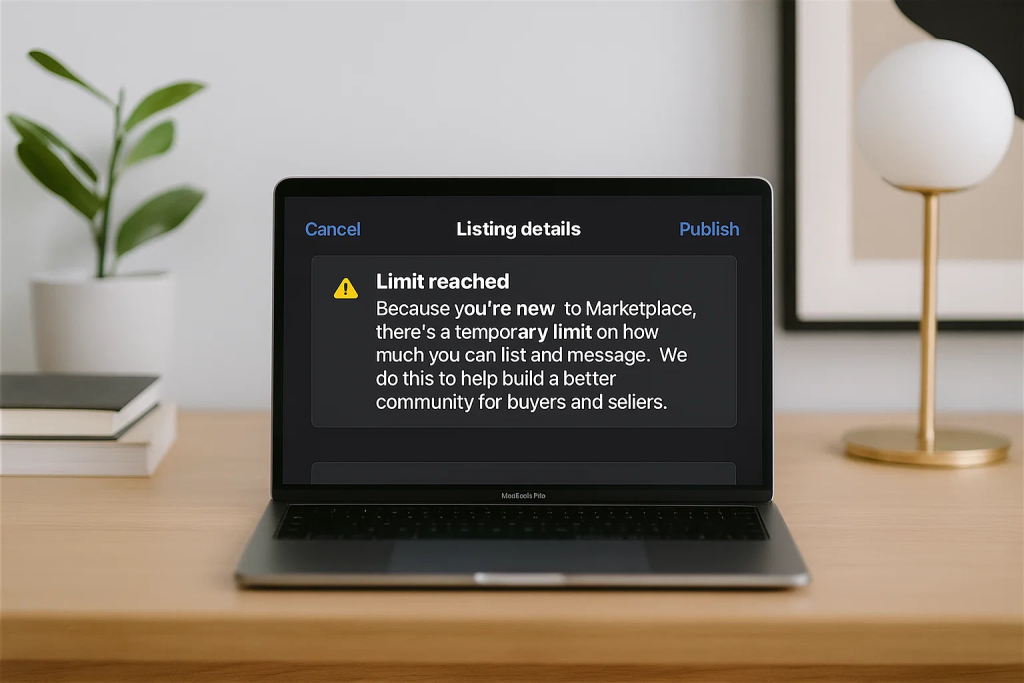
The New-Seller Restrictions in 2026, Mapped
Meta keeps the exact numbers private, but cross-referencing current probation notices from r/FacebookMarketplace, the Meta Business Help Center threads, and the warning banners users screenshot when they hit a wall, the throttles look like this for a brand-new U.S. account:
| Restriction | Typical Threshold | Usually Lifts After |
|---|---|---|
| Active listing cap | 5–10 items | 2–4 weeks of clean activity |
| Listing review delay | 1–24 hours per post | 3–5 approved sales |
| Vehicles category | Fully locked | 30–90 days + verified ID |
| Rentals & property | Fully locked | 30–90 days |
| Items over ~$500 | Held for review | Once trust score builds |
| New-chat rate limit | ~20 new conversations/day | After buyer rating history |
| Cross-post to local Groups | Blocked | First 7–14 days after first approval |
| Shipping listings | Disabled | After Meta Pay verification |
If you have hit any of those, nothing is broken on your end. You are inside the window Meta refers to internally as “new seller onboarding.”
Why Meta Restricts New Marketplace Accounts
Marketplace has been the single largest fraud surface inside the Meta ecosystem for years. Fake vehicle listings, Zelle and Cash App “pay first and I’ll ship” scams, counterfeit electronics, and rental fraud on deposit money have all pushed Meta toward preemptive limits rather than reactive takedowns. Limiting new accounts is cheaper and more effective than chasing scammers after the money is gone.
Category sensitivity is the second lever. Vehicles, rentals, and real estate are where per-incident losses are largest, so those categories demand a much longer trust runway before they unlock. Even verified businesses sit out the probation period when they spin up a brand-new Marketplace profile — the restriction is tied to the seller identity, not the business’s age elsewhere on Facebook.
The 10-Step Playbook to Unlock Full Access Faster
The goal is to emit every positive trust signal Meta’s integrity model looks for without tripping any fraud pattern. The order below matters — accounts that skip an early step usually stay stuck weeks longer than accounts that work through it cleanly.
1. Fill in every profile field
Tap your profile photo in the Facebook app → Settings & privacy → Settings → Personal details. Fill in your full legal name (match it to the ID you plan to upload if vehicles or rentals are in your future), date of birth, current city, and a profile photo that shows a real face. Meta’s integrity scoring weights real-face profile photos heavily — logos, pets, and landscapes all score lower. Add a cover photo while you are in there; accounts without one are flagged as “minimal profile” in Meta’s telemetry.
2. Verify both a phone number and an email
Go to Accounts Center → Personal details → Contact info and confirm both. Accounts with only one verified contact stay in probation roughly twice as long, per community data. Use a real mobile number. Google Voice, Textfree, TextNow, and other VOIP numbers are detected and will trigger automatic listing holds. If your carrier number is ported from VOIP, expect the same flag.
3. Turn on two-factor authentication
In Accounts Center → Password and security → Two-factor authentication, switch on 2FA using an authenticator app — not SMS. Authenticator-app 2FA registers as a stronger signal than SMS 2FA inside Meta’s model, and enabling it is one of the fastest ways out of the first-week probation tier.
4. Post low-risk items for the first three listings
Your first three listings set the tone for your entire seller profile. Post everyday, low-fraud items: books, kitchenware, kids’ toys, clothing, small furniture, houseplants, bicycles. For the first 30 days, avoid these categories entirely: phones, laptops, GPUs, designer handbags, sneakers, gift cards, concert tickets, gold jewelry, power tools. Those are the highest-fraud lanes on the platform and new-account listings in them are almost always held for extended review or blocked outright.
5. Use your own photos, not stock images
Marketplace perceptually hashes every image on upload. Stock photos, manufacturer product shots, or any image already indexed from another listing will be detected and your listing review time will get extended. Shoot 3–5 original photos per item in natural light, include at least one that shows the item on a recognizable surface in your home (countertop, wood floor, carpet), and do not over-edit. A slightly blurry original beats a pixel-perfect stock image every time.
6. Write titles like a human, not a keyword farm
All-caps titles, symbol spam ($$$, ★★★, 🔥🔥🔥), and keyword-stuffed strings (“iPhone iPhone apple phone unlocked cheap fast”) all match known spam patterns. Use plain title case, the product name, a single key spec, and the condition: “IKEA Kallax Shelf 4×2, White, Good Condition.” That is the exact structure Marketplace’s recommendation model rewards in A/B testing reported by sellers on r/FacebookMarketplace.
7. Reply to every buyer within 60 minutes
Marketplace awards a “Very responsive to messages” badge once your reply rate is above 90% and your average response time is under an hour. That badge is one of the most visible trust accelerators on the platform — sellers regularly report vehicle-category access opening within days of earning it. Reply to every message, even if the item is sold. “Thanks, already gone” counts as a reply.
8. Mark sales as sold, never delete listings
When a sale closes, open the listing and tap Mark as Sold → Yes, to someone on Marketplace, then select the buyer’s profile. Selecting the specific buyer writes a verified transaction record into Meta’s backend and is one of the clearest positive signals a new seller can produce. Deleting the listing instead throws away every ounce of trust you just earned.
9. Add Meta Pay
In the U.S., set up Meta Pay under Settings & privacy → Meta Pay → Add payment method. Verifying a bank account or debit card is among the strongest trust signals available and it unlocks Marketplace shipping, which expands your buyer pool beyond local pickup. For sellers whose area has thin Marketplace demand, shipping alone can double conversion rate.
10. Ramp slowly, not all at once
Resist the temptation to dump 20 items on day one. Post two or three, let them go live, then add two or three more the next day. A steady cadence of 1–3 new listings per day with clean approvals reads like a real person clearing out a home. Twenty listings in a single evening reads like a bot — that is a documented flag in Meta’s bot detection stack.
The Silent Mistakes That Stretch Probation Into Months
Accounts that stay locked for 60+ days are almost always tripping one of these without realizing it. Check your own activity against the list.
- Using a VPN while signed in to Facebook. Marketplace geofences every listing, and a VPN will pin the account to the wrong market and flag location mismatches on every post.
- A brand-new Facebook account created only to sell. The fastest-moving seller accounts are the ones with 12+ months of normal social activity before any Marketplace listing goes up.
- Copy-pasted descriptions across similar items. Duplicate content is detected and triggers review on every subsequent listing you post — even weeks later.
- A single prohibited-category slip. Alcohol, firearms, tobacco, prescription drugs, live animals, and adult products all result in immediate account-level restrictions, and those are extremely hard to appeal.
- Ignoring buyer messages for a week. Response rate is weighted more heavily than most sellers realize — a single quiet week can undo a month of trust building.
- Listing items you don’t actually have. Removing a listing shortly after posting with no recorded sale looks like classic bait-and-switch behavior and adds a silent strike.
- Changing location mid-probation. Switching the listed city triggers re-verification across the whole account and resets some trust counters.
How to Tell the Restrictions Are Lifting
Meta does not send a notification when probation ends. Watch for these five behavioral shifts instead — once all five land, you have full access.
- New listings start going live within minutes instead of hours.
- The “Your listing is under review” banner stops appearing.
- Vehicles and Rentals become selectable in the category dropdown on the Create Listing screen.
- Your active listing cap visibly rises past 10 items.
- The “Very responsive to messages” badge appears on your seller profile.
Still Locked After 60 Days? Here’s Where to Look
If you have worked the full playbook and your account is still restricted past the 60-day mark, the issue is almost always a silent strike you did not know about. Open Accounts Center → Account quality (or go directly to facebook.com/accountquality). That page lists every policy violation, shadow-ban, and feature restriction currently active on your account, and most long-stuck sellers discover strikes on this page they never saw notifications for.
Appeals submitted from the Account Quality page route to Meta’s human review team rather than the automated pipeline. Typical turnaround is 3–7 days. If the page shows a clean record but you are still restricted, file a manual review through Help Center → Report a Problem → Marketplace → Something isn’t working. Keep the message under 200 words: state that you are a private seller, that you have followed the Marketplace rules, and list the specific features that remain restricted. Reviewers skim — long explanations hurt you.
If your account is tied to a business page, Business Support Home at business.facebook.com/business/help routes tickets faster than the consumer Help Center. There is no public phone number for Marketplace support, and any site advertising a “Facebook Marketplace customer service” 1-800 number is a scam. Hang up or close the tab.
[INTERNAL LINK: Facebook account recovery guide]
Realistic Timeline for a Clean Account
| Week | What to Expect |
|---|---|
| Week 1 | Every listing held 1–24 hours. Cap around 5 items. Cross-posting to Groups blocked. |
| Week 2 | Review delays shrink to minutes if photos are original and categories are low-risk. Cap rises to ~10. |
| Weeks 3–4 | “Very responsive” badge unlocks if reply rate holds. Shipping enables after Meta Pay verification. |
| Weeks 4–6 | High-value electronics start clearing review without delay. Listing cap rises past 15. |
| Weeks 6–12 | Rentals category opens. Vehicles opens after ID verification plus 3+ approved clean sales. |
The Bottom Line
New-account limits on Facebook Marketplace are a probation period, not a ban, and they lift on a 30–90 day schedule for almost every legitimate seller. The fastest route through is boring: complete the profile, turn on authenticator-app 2FA, post low-risk items first with original photos, reply inside an hour, mark sales properly, and add verified Meta Pay. Accounts that follow that playbook typically see listing review delays disappear within two weeks and full category access unlock inside 30–45 days. The sellers who stay stuck for six months or more are almost always tripping one of the silent-strike patterns above — and the Account Quality page is where they finally find out which one.
markplack is not
Good info and instructions. Thanks!