5 Best Photo Printers For iPhone in 2026
At A Glance: Best Photo Printers For iPhone
-
Our Top Pick
- Instax Mini Link 3
- Liene 4x6 Photo Printer
Photo printing from an iPhone has split into two very different worlds. On one side are pocket-sized Bluetooth printers that spit out wallet-sized mini prints for fun. On the other are dye-sublimation and inkjet printers that produce 4×6 or 5×7 keepsakes you’d actually frame. The five printers on this list cover both sides, and — to get the honest part out of the way upfront — none of them is cheap to feed long term. Every option here uses proprietary paper, ink cartridges, or ribbon-and-paper kits that lock you into that brand’s consumables.
| Product | Brand | Name | Price |
|---|---|---|---|
 | Canon | Canon Selphy CP1500 | Check Price on Amazon |
 | Fujifilm | Instax Mini Link 3 | Check Price on Amazon |
 | Liene | Liene 4x6 Photo Printer | Check Price on Amazon |
 | Epson | Epson PictureMate Photo Printer | Check Price on Amazon |
 | KODAK | KODAK Dock Plus Photo Printer | Check Price on Amazon |
* If you buy through links on our site, we may earn an affiliate commission. For more details, please visit our Privacy policy page.
If you want the short version: the Canon Selphy CP1500 is the best all-around pick for iPhone users in 2026. It prints archival-quality 4×6 photos over Wi-Fi, dries instantly, and the ribbon-and-paper packs are priced reasonably per print. Scroll down for the rest, or jump to the At-a-Glance table below to see which printer fits your budget and use case.
At a Glance: 5 Best iPhone Photo Printers in 2026
| Printer | Print Size | Print Tech | Approx. Price | Best For |
|---|---|---|---|---|
| Canon Selphy CP1500 | 4×6, 4×4, credit-card, stickers | Dye-sublimation (ribbon + paper) | $130-150 | All-around, archival family prints |
| Fujifilm Instax Mini Link 3 | Instax Mini (2.1 x 3.4 in) | Instant film | $100 (body) + film | Parties, scrapbooking, gifts |
| Liene M100 | 4×6 | Dye-sublimation | $130-160 | Budget 4×6 prints, durability |
| Epson PictureMate PM-400 | 4×6, 5×7 | 6-color inkjet | $400-500 (when in stock) | Prosumers, larger 5×7 prints |
| Kodak Dock Plus 4PASS | 4×6 | Dye-sublimation (4PASS) | $130-170 | Simplest setup, no app required |
A note on price: Amazon listings for the Epson PM-400 have been unstable for a while — it’s been in and out of stock since Epson shifted its consumer photo line. If it’s unavailable, the Epson SureColor P400 or Canon PIXMA G620 are the closest alternatives, though both cost more and are larger. Always confirm the current listing before buying.
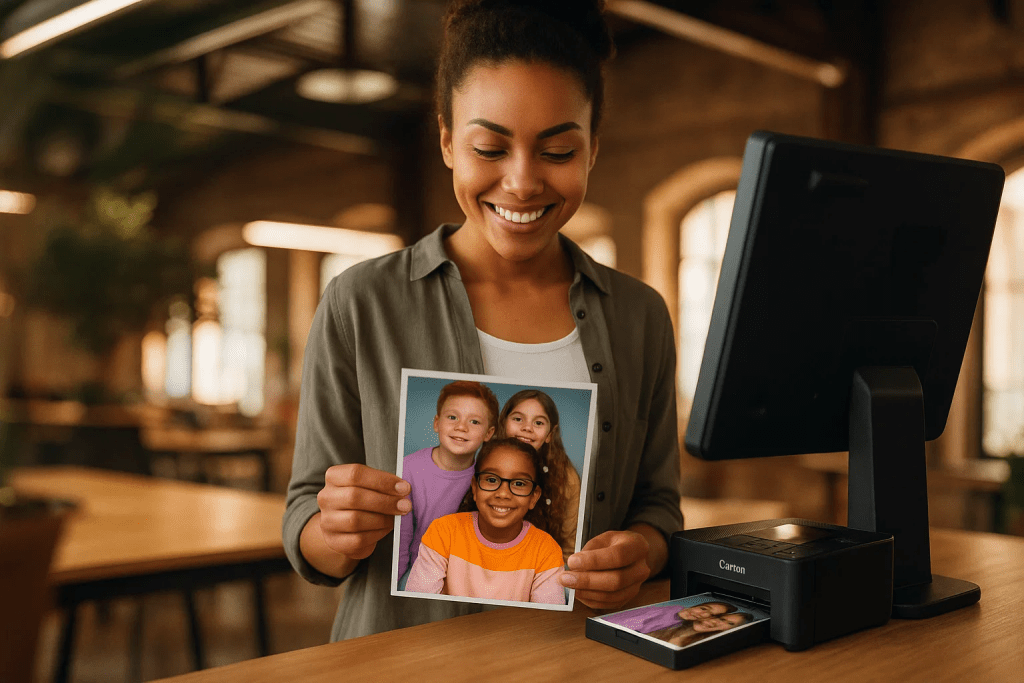
Canon Selphy CP1500 — Best All-Around iPhone Photo Printer
The Selphy CP1500 is the printer I’d put in most iPhone users’ hands. Canon has been refining this line for more than a decade, and the CP1500 landed in late 2022 with Wi-Fi, AirPrint, a 3.5-inch tilting screen, and USB-C charging for the optional battery pack. It uses dye-sublimation ribbon cartridges that produce a finished, laminated print — the photos come out dry to the touch, water-resistant, and Canon rates them for roughly 100 years under album storage.
Key specs
- Print sizes: 4×6, 4×4 square, credit-card (2.1 x 3.4), and mini sticker
- Print time: ~41 seconds per 4×6
- Connectivity: Wi-Fi, AirPrint, USB, and SD card slot
- Consumable: Canon KP-108IN (108 prints of paper + ribbon) runs about $30 — around 28¢ per 4×6
Pros: AirPrint means no app is strictly required. The 3.5-inch screen lets you crop and adjust before committing a sheet. Prints feel and look closer to what you’d get from a photo lab than anything else in this price range. The optional NB-CP2LH battery (~$80) makes it genuinely portable.
Cons: You’re locked into Canon’s KP-108 ribbon-and-paper packs. You can’t print a single sheet without loading the full ribbon cassette, which means you either commit to a print or burn through ribbon faster on smaller sizes. It’s also not the quietest printer — the four-pass color layering makes a distinctive zipping sound.
Buy the Canon Selphy CP1500 on Amazon
Fujifilm Instax Mini Link 3 — Best for Parties and Instant Prints
The Mini Link 3 is the 2024 successor to the Mini Link 2 and takes a pure “pocket printer” approach — no screen, no SD card, just Bluetooth and an app. It prints onto Instax Mini film, which gives you a credit-card-sized image with the signature white border. Fuji added “eco” mode shortcuts and a motion sensor gimmick that lets you tilt the printer to apply filters, but the real draw is still the same: instant, tactile keepsakes you can hand to someone in under 30 seconds.
Key specs
- Print size: Instax Mini — 62 x 46 mm image area
- Print time: ~12 seconds per frame, ~90 seconds to fully develop
- Connectivity: Bluetooth via the Instax Mini Link app (iOS 15 or later)
- Consumable: Instax Mini film, ~75¢ per print in 20-packs, ~60¢ per print in the 60-pack
- Battery: ~100 prints per charge (USB-C)
Pros: Genuinely pocketable at 3.9 oz. The app’s collage templates (up to nine images on one frame), AR stickers, and party-mode QR sharing make it the one printer on this list guests will actually fight over at a wedding or birthday. Works with both iPhone and Android.
Cons: Instax Mini prints are small — wallet-sized, not frame-sized. Per-print cost is the highest on this list, and once you’ve exposed film there’s no “undo.” The app is app-dependent too; every print requires you to open it, which has frustrated some reviewers who’d prefer AirPrint support. No physical screen means you’re trusting your phone preview.
Buy the Fujifilm Instax Mini Link 3 on Amazon
Liene M100 — Best Value 4×6 Photo Printer
Liene’s M100 is the one most people end up buying when they want full-size 4×6 prints but don’t want to spend Canon Selphy money. It’s also a dye-sublimation design, but Liene uses its own all-in-one ribbon-and-paper cartridge system that slots in like a film magazine — easier to load than Canon’s separate ribbon and tray setup.
Key specs
- Print size: 4×6 with optional tear-off adhesive backing
- Print time: ~60 seconds per 4×6
- Resolution: 300 x 300 dpi, four-pass overcoat layer
- Connectivity: Wi-Fi direct via the Liene app (iOS and Android)
- Consumable: Liene 4×6 cartridge refills — roughly 40-50¢ per print in 80-print packs
Pros: The finished print has a glossy, laminated finish that’s water-resistant and fingerprint-proof — hand a fresh print to a toddler, get it back the same. Setup through the Liene app is straightforward, and the bundled starter kit typically includes enough paper to start printing immediately. Photos resist fading for decades under normal album storage.
Cons: The Liene app is mandatory — there’s no AirPrint support, which means iOS users can’t print from the Photos app share sheet. App reviewers report occasional pairing hiccups that require a quick Bluetooth reset. Also note: Liene sells multiple M-series printers (M100, M200, M300) and they use different cartridge sizes, so make sure you’re buying refills for the M100 specifically.
Epson PictureMate PM-400 — Best for 5×7 Prints and Prosumer Quality

The PM-400 is the only inkjet on this list and the only one that can do 5×7 prints. It uses Epson’s Claria Photographic HD ink set — six separate cartridges — which gives noticeably wider color gamut and smoother gradients than any dye-sub printer here. Photographers who want lab-grade output on their desk reach for this one.
Availability caveat: Epson has treated the PM-400 as an intermittent product for a while. As of this update, Amazon listings are frequently marked as “currently unavailable” or come from third-party sellers at markup prices. If you find it at MSRP (~$400), grab it; otherwise, the step-up Epson SureColor P400 is the logical replacement for serious photo work.
Key specs
- Print sizes: 4×6 and 5×7 borderless
- Print time: ~36 seconds for a 4×6 borderless
- Ink system: 6-color Claria Photographic HD (individual cartridges)
- Connectivity: Wi-Fi, Wi-Fi Direct, USB, AirPrint, and the Epson iPrint app
- Display: 2.7-inch color touchscreen
Pros: Dramatically better skin tones and shadow detail than any dye-sub printer at this size. 5×7 output is genuinely frame-worthy. AirPrint support means it works with Photos, Messages, and any iOS share sheet — no Epson app needed for basic printing. Optional battery pack makes it portable for events.
Cons: Ink cartridges are Epson-only and expensive — expect $60 for a full set that prints roughly 100 photos. Ink dries out if the printer sits idle for months. Biggest issue is availability: if Amazon shows “out of stock,” do not pay the inflated third-party price. Check Epson.com directly first.
Check the Epson PictureMate PM-400 on Amazon — spot-check availability before buying.
Kodak Dock Plus 4PASS — Best for Simple, No-App Printing

The Dock Plus keeps things deliberately low-tech. It has a physical Lightning and USB-C dock on top — you plug your iPhone in, and the printer works without Wi-Fi, Bluetooth, or a forced app install. That’s still rare in 2026, and it’s the reason older relatives and travel users keep choosing this one over the flashier options.
Key specs
- Print size: 4×6 with bordered or borderless option
- Print tech: Kodak 4PASS dye-sub with laminated overcoat
- Connectivity: Direct Lightning/USB-C dock plus Bluetooth fallback
- Bundle: Often ships with 90 sheets + cartridges included
- Print durability: Fingerprint-proof, water-resistant, rated 10+ years without fading
Pros: Plug and print — the simplest workflow of anything here. The included starter cartridge pack means you can unbox and print 90 photos before spending a cent on refills. Laminated finish holds up to handling.
Cons: The dock connector is a pressure fit — bulky iPhone cases usually need to come off to seat the phone. Kodak 4PASS cartridges are branded and cost roughly 50¢ per print in 50-sheet packs. Some units ship with older firmware that’s finicky with the iPhone 15/16’s USB-C port; a Kodak app update usually fixes it.
Buy the Kodak Dock Plus on Amazon
| Product | Brand | Name | Price |
|---|---|---|---|
| Canon | Canon Selphy CP1500 | Check Price on Amazon |
| Fujifilm | Instax Mini Link 3 | Check Price on Amazon |
| Liene | Liene 4x6 Photo Printer | Check Price on Amazon |
| Epson | Epson PictureMate Photo Printer | Check Price on Amazon |
| KODAK | KODAK Dock Plus Photo Printer | Check Price on Amazon |
* If you buy through links on our site, we may earn an affiliate commission. For more details, please visit our Privacy policy page.
What to Watch Out For Before You Buy
- Consumables are the real cost. Every printer here uses proprietary paper or ink. A $130 printer that prints at 75¢ per photo is often more expensive long-term than a $200 printer at 30¢ per photo. Multiply your expected annual print volume by the per-print cost before deciding.
- AirPrint matters. Canon Selphy CP1500 and Epson PM-400 both support AirPrint, meaning you can print from the iOS Photos share sheet without installing an app. Instax, Liene, and Kodak all require their own app for full functionality. If you hate brand apps, narrow your list to the Canon or Epson.
- Dye-sub versus film versus inkjet. Dye-sub (Canon, Liene, Kodak) gives you a sealed, water-resistant print that feels like a photo-lab output. Instax film gives you a tactile keepsake with a border. Inkjet (Epson) gives you the highest color fidelity but requires the most maintenance.
- iPhone case compatibility. The Kodak Dock Plus is the only model here that physically connects to your phone — it won’t fit most rugged cases. The others are wireless, so case thickness doesn’t matter.
- Travel and battery. Only the Canon Selphy (with the optional NB-CP2LH pack), Epson PM-400 (with its optional Li-ion battery), and Fujifilm Mini Link 3 (built-in USB-C battery) are practical for travel. Liene M100 and Kodak Dock Plus are wall-powered only.
Our Recommendation
If you want one printer that does nearly everything well: Canon Selphy CP1500. It’s the best mix of print quality, longevity, print size flexibility, and per-print cost. AirPrint support means any iPhone user can print from the Photos share sheet without fighting an app.
If your goal is parties, gifts, and social fun: Fujifilm Instax Mini Link 3. The small print size is a feature, not a bug, and the collage and AR features make it the only printer on this list people will hand back and forth at a table.
If you’re on a tight budget but want full 4×6: Liene M100. Roughly the same print quality as the Canon Selphy at a lower per-print cost, as long as you’re okay installing the Liene app.
If you’re a hobby photographer who wants 5×7 prints: Epson PictureMate PM-400 — when you can find it at a reasonable price. If it’s out of stock or marked up, move up to the Epson SureColor P400 rather than pay third-party markup.
If you want the most foolproof setup for a non-tech-savvy user: Kodak Dock Plus. Plug the phone in, hit print. That’s it.
Before ordering any of these, spot-check the current Amazon listing — stock status on photo printers changes week to week, and a dead ASIN is the most common reason a buy link disappoints. As of 2026, all five listings above were active, but the Epson PM-400 specifically is the one to verify first.