Best Mac Mini Alternative for OpenClaw in 2026: KAMRUI Pinova P2 Review
I wanted to love this little box instantly.
The pitch was exactly what OpenClaw operators want to hear: a compact mini PC with 16GB RAM, 512GB SSD, Ryzen 4300U, triple-display support, and a price low enough that you can buy multiple nodes for the cost of one premium desktop.
That promise matters if you run automation for revenue. You do not just need a computer that feels fast for five minutes. You need a machine that keeps jobs moving, keeps browser tasks alive, and does not collapse when your content and monitoring loops stack up.
After testing this KAMRUI Pinova P2 from that practical angle, here is the honest verdict: it is one of the best budget alternatives to a Mac mini for OpenClaw, but only if you use it for the right role.
| Image | Pick | Best for | Buy link |
|---|---|---|---|
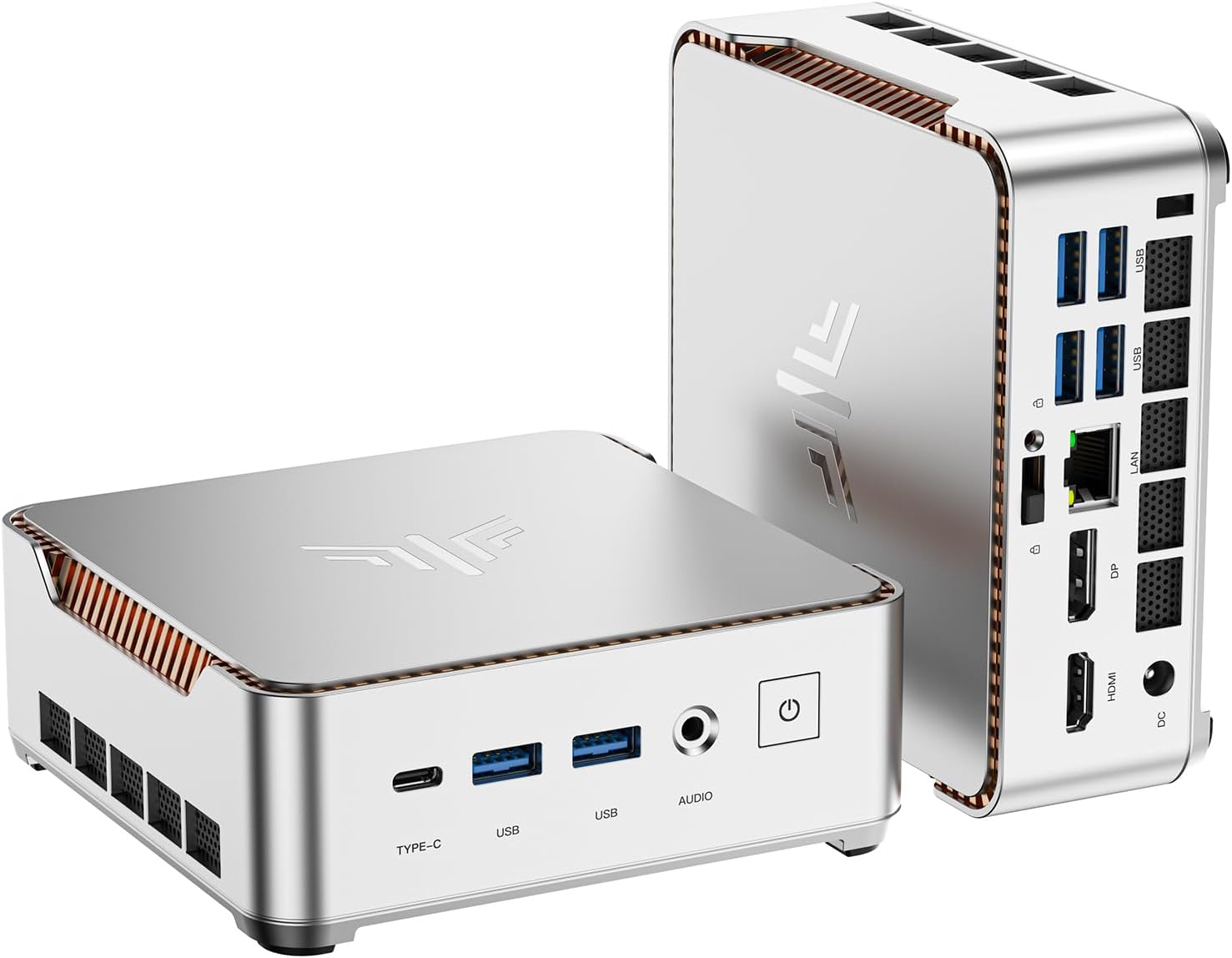 |
KAMRUI Pinova P2 (Ryzen 4300U, 16GB/512GB) | Best value OpenClaw worker node | Check price on Amazon |
 |
Apple Mac mini (M-series) | Best premium single-box option | Check price on Amazon |
What makes this mini PC attractive in the first place
If you are scaling OpenClaw operations, cost-per-node is everything. The P2 is attractive because it gives you enough hardware to run meaningful workloads without forcing a high upfront spend.
On paper, it has the right baseline: modern-enough CPU, usable RAM capacity, fast SSD class storage, compact form factor, and simple connectivity. It also has social proof from buyers, which helps reduce perceived risk when you are deciding whether to deploy one unit or several.
The real advantage is strategic, not cosmetic. For the same budget as one premium box, you can build a small worker fleet. That changes throughput. It lets you split tasks, isolate failures, and keep business output moving.
Where reality pushes back
The first friction point is CPU headroom. A Ryzen 4300U can handle moderate orchestration, scheduled jobs, and controlled browser automation well. But if you try to run heavy concurrency and aggressive multitasking on one unit, you will hit limits faster than expected.
The second friction point is consistency under sustained load. This is where many budget machines feel great at first and then lose shine. In OpenClaw operations, tiny instability costs money: delayed runs, missed triggers, and broken processing chains. Reliability matters more than short benchmark bursts.
The third friction point is operator behavior. Most bad outcomes are role mistakes, not hardware defects. If you treat this as your all-in-one “do everything” machine, you will eventually feel disappointed. If you treat it as a focused worker node in a larger system, it suddenly makes a lot more sense.
Why someone would actually buy this over a Mac mini
You buy this when your goal is business leverage, not premium hardware pride.
Here is the buyer logic that is hard to ignore:
-
You can deploy more nodes faster, which means more parallel output.
-
You can assign clear workloads per box, reducing operational risk.
-
You can replace or rotate units with less financial pain.
-
You can keep a premium machine for heavy work while these handle recurring production loops.
That model is often better for growing automation businesses than concentrating everything on one expensive machine.
The best way to use this for OpenClaw
This is where the purchase becomes smart. Use the P2 for:
-
scheduled monitors and alerts
-
content research and drafting pipelines
-
moderate browser relay and scraping tasks
-
message and reporting workflows
-
secondary worker role in a multi-node stack
Use a stronger main machine for heavy lifting, and let these units run repeatable execution loops all day.
| Image | Pick | Best for | Buy link |
|---|---|---|---|
|
KAMRUI Pinova P2 (Ryzen 4300U, 16GB/512GB) | Best value OpenClaw worker node | Check price on Amazon |
|
Apple Mac mini (M-series) | Best premium single-box option | Check price on Amazon |
Final recommendation
If you want the smoothest premium experience in one box, buy the Mac mini and move on.
If you want better ROI per dollar for OpenClaw operations, the KAMRUI Pinova P2 is a very compelling buy. It is affordable, practical, and good enough to produce real output when deployed correctly.
This is not the machine for ego benchmarks. It is the machine for operators who care about throughput, margins, and scalable execution.
For most budget-conscious OpenClaw setups, that is exactly the point.